MetricPull
A privacy-first Apple Health export tool built for AI-powered analysis.
at a glance
- 70
- Apple Health metrics
- 3
- Export modes
- Full-history
- Record exports
- On-device
- Processing
Apple Health can hold years of useful information about activity, sleep, nutrition, heart health, body measurements, and more, including data contributed by compatible apps and devices. But moving that data into a spreadsheet or a user-chosen AI tool is harder than it should be. Native exports are unwieldy, and simpler CSV exports often strip away the context needed to interpret the numbers responsibly.
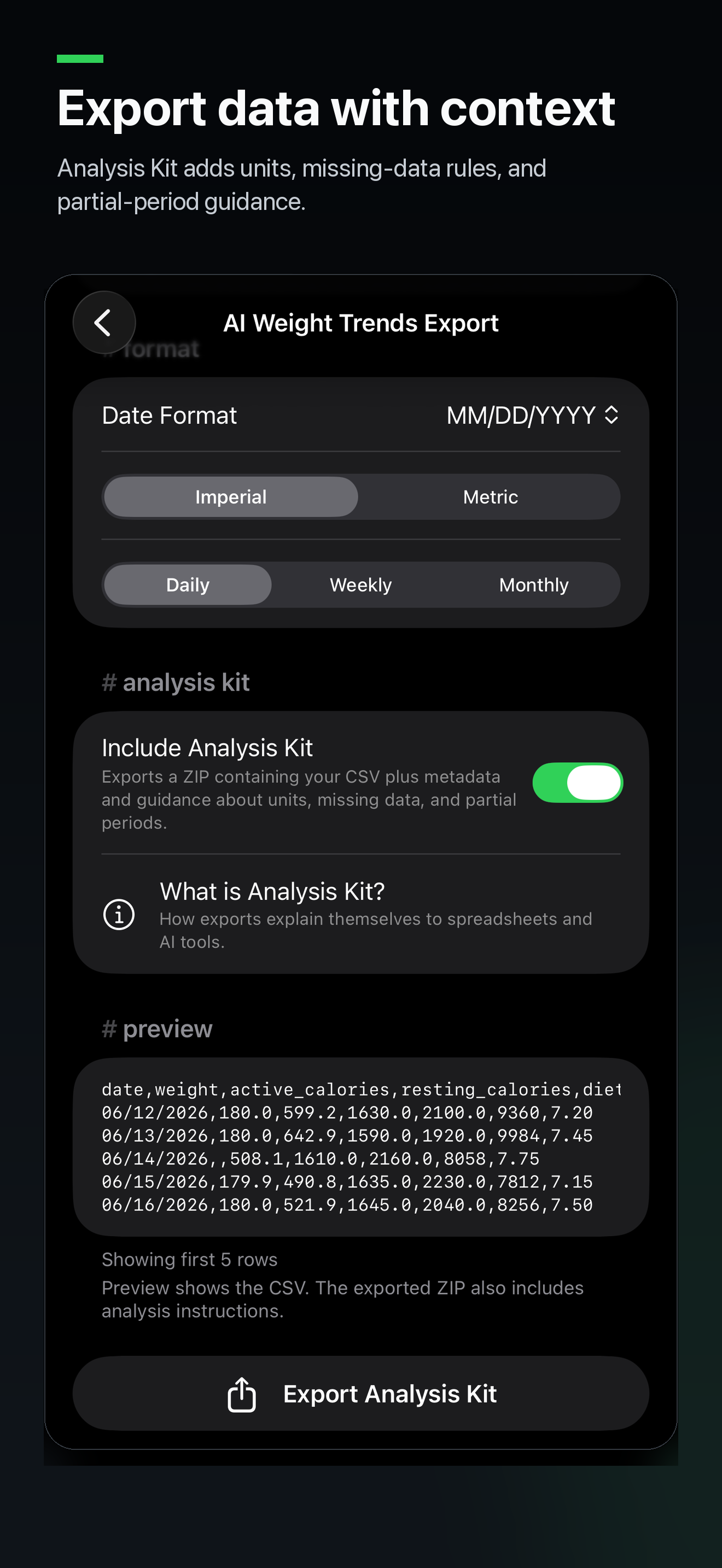
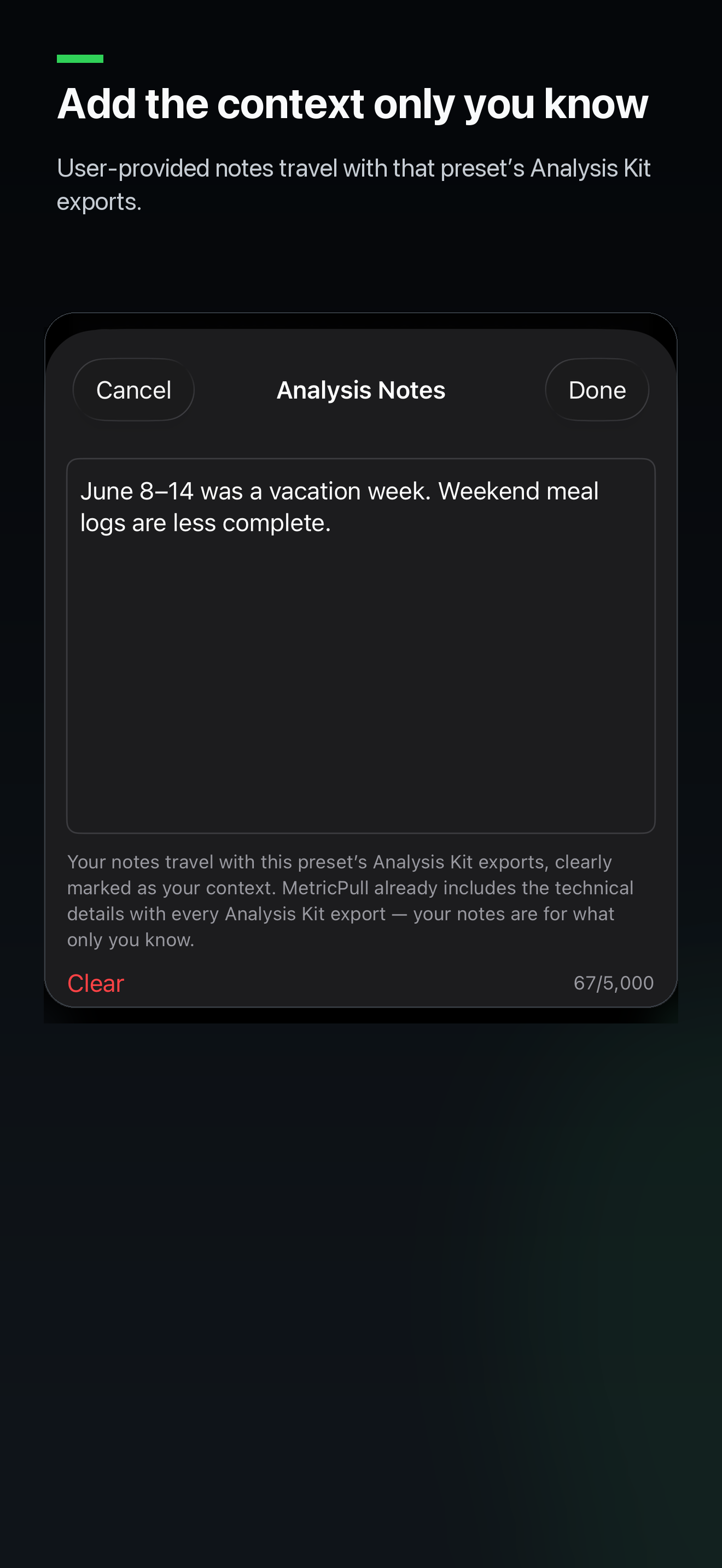
MetricPull turns the Apple Health data a user chooses into portable, context-rich CSV files. The result is a copy they control and can save, archive, share, or analyze with tools they choose. Exports preserve timestamps, units, source and device information, and other critical metadata where supported. Optional Analysis Kits add structured metadata and plain-language instructions that help AI assistants, spreadsheets, scripts, and research tools interpret an export more carefully. Processing remains on device until the user chooses to share an export.
the problem
Apple Health is excellent at collecting information, but it is not designed for open-ended analysis outside the Health app.
The native export is a large XML archive that takes significant work to understand. More convenient exports can introduce a different problem: they provide values without enough context. A blank cell may be treated as zero. Pounds may be mistaken for kilograms. A partial day may be compared with a complete one. Repeated samples from different apps may be counted as independent events.
Provenance is also more nuanced than it first appears. The app or device that saved a sample may not be the hardware that measured it. A watch can generate a reading that is written to Apple Health by a paired phone. When those distinctions disappear, spreadsheets and AI systems can form confident conclusions from ambiguous data.
the solution
MetricPull is an intelligent export pipeline rather than a one-size-fits-all file converter.
Users select the health data and date range they care about, choose the level of detail, preview the result, and export only when ready. HealthKit-aware formatting applies the correct units, aggregation, dates, and timestamp behavior for each kind of data.
For analysis workflows, Analysis Kit packages the CSV with structured metadata and plain-language instructions. The package explains column meanings, units, missing-data rules, date or timestamp formats, provenance, known limitations, and other details a spreadsheet, script, or external AI tool needs to interpret the export more carefully.
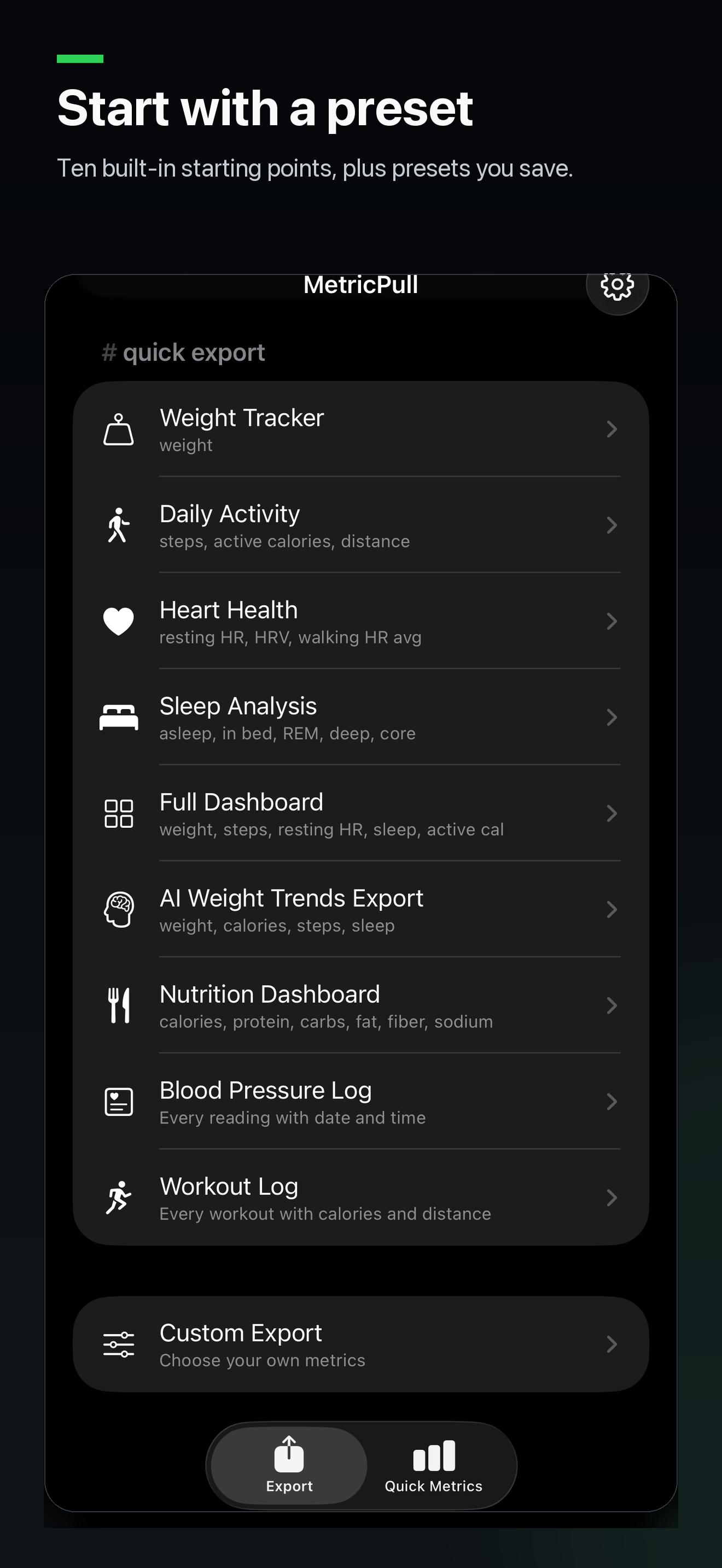
Reusable presets make recurring workflows practical without turning the app into another health-data platform. MetricPull organizes and explains the data; it does not diagnose, prescribe, or run an AI model itself.
choosing an export mode
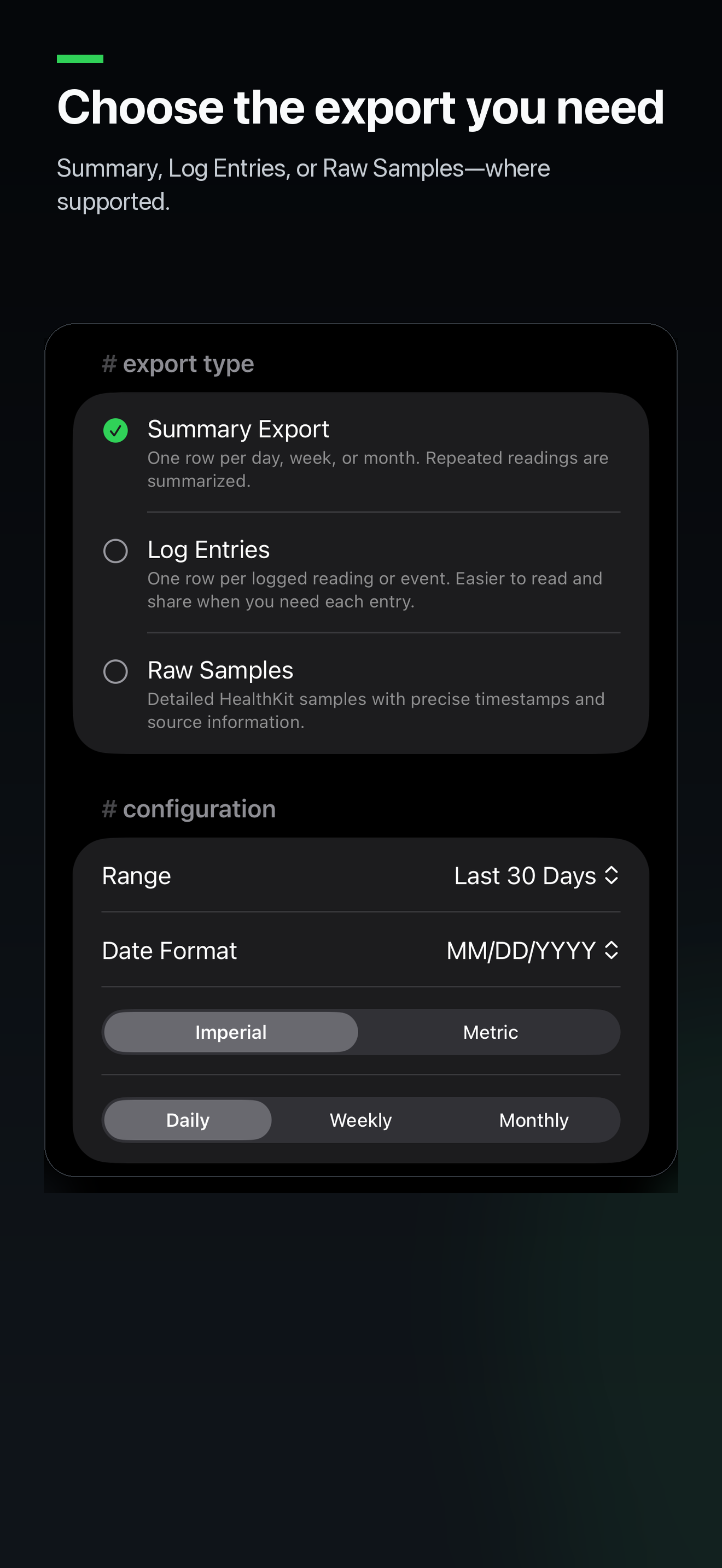
Each mode preserves a different level of detail, so users can choose the format that best matches what they want to understand.
Mode
Summary
- Best for
- Trends and comparisons
- What it provides
- Daily, weekly, or monthly aggregates
Mode
Log Entries
- Best for
- Reviewing specific records
- What it provides
- Readable individual measurements, events, and supported sleep records
Mode
Raw Samples
- Best for
- Technical analysis and record-level workflows
- What it provides
- Detailed HealthKit records with precise timestamps, provenance, and identifiers where available
current capabilities
MetricPull currently supports:
- 70 Apple Health metrics spanning body measurements, activity, heart health, sleep, vitals, and nutrition
- Summary exports for daily, weekly, or monthly trends
- Log Entries for readable individual measurements, workouts, events, and supported sleep records
- Raw Samples for detailed HealthKit records where supported, including ordinary Heart Rate, Workouts, supported quantity records, Detailed Sleep, Weight, and Blood Pressure, with precise timestamps, provenance, and stored-record identifiers
- Detailed Sleep Records for each stored sleep-analysis segment when Time Asleep is selected alone
- Heart and Workout records — Resting Heart Rate, Walking Heart Rate Average, Cardio Fitness, and Heart Rate Variability support Log Entries and Raw Samples when selected individually; ordinary Heart Rate supports Raw Samples when selected alone; Workouts support Log Entries and Raw Samples when selected alone
- Bounded full-record processing with streamed CSV writing, progress, cancellation, and file-backed Analysis Kit packaging for supported record exports
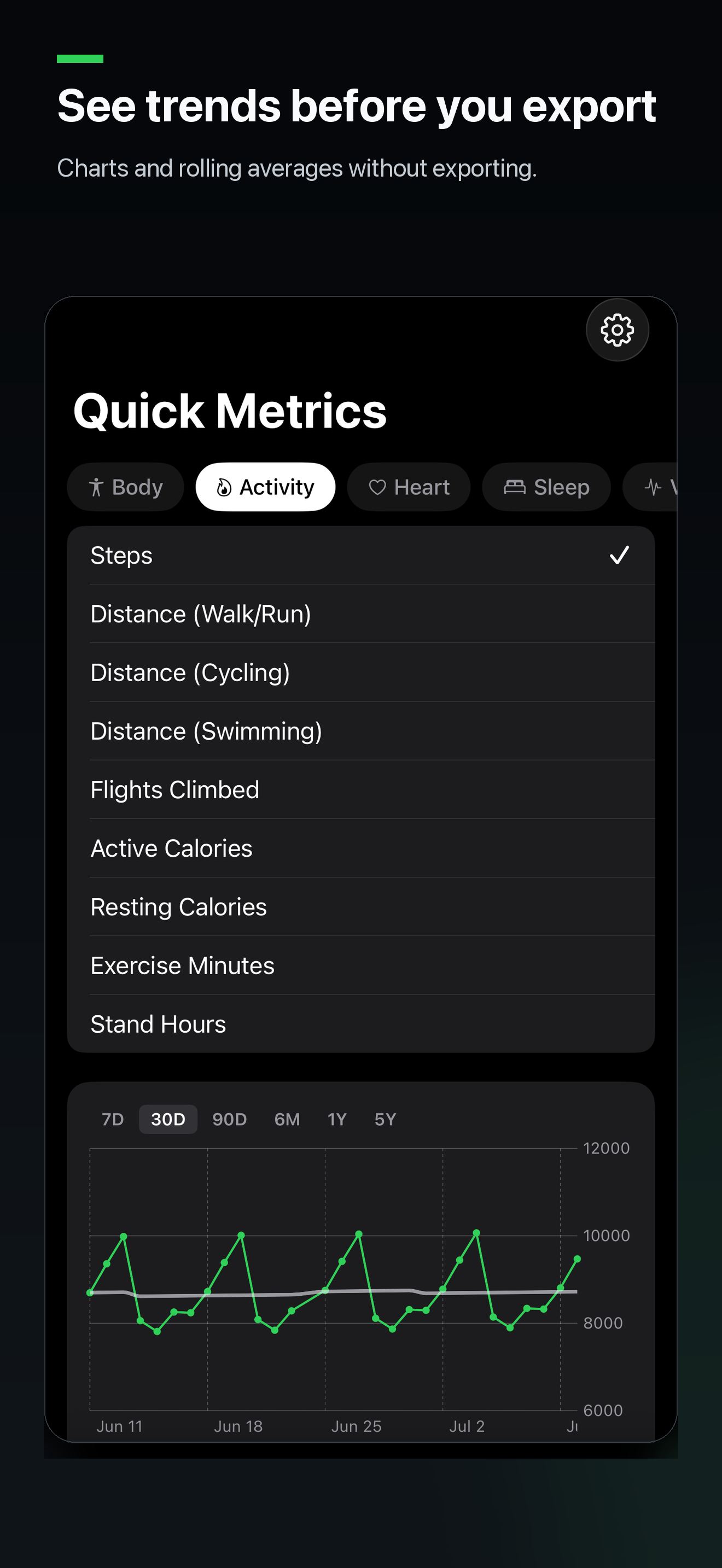
- Quick Metrics charts and rolling comparisons without exporting
- Reusable built-in and user-created presets
- Configurable dates, aggregation, column order, and Imperial or Metric units
- AI-ready Analysis Kits for every supported export mode
- CSV previews before anything is shared
The product deliberately uses different export modes because a daily trend, a logged event, and a stored HealthKit sample answer different questions.
what makes MetricPull different
it preserves the right level of detail
Summary exports make long-term trends manageable. Log Entries preserve readable individual measurements, workouts, events, and supported sleep records. Raw Samples retain precise HealthKit record timing, provenance, and stored-record identifiers where supported, including ordinary Heart Rate and Workouts. Detailed Sleep Records preserve stored sleep stages and attributed nights without reconstructing or merging them into inferred sessions. Users can choose the representation that matches the analysis rather than forcing every metric into one table shape.
it treats provenance as data
For supported Raw Samples, including supported quantity records, ordinary Heart Rate, Workouts, Weight, and Blood Pressure, MetricPull separates the source that saved a record from the hardware Apple Health reports as generating it when Apple provides those fields. Those fields can differ, and the export explains that distinction instead of presenting a single misleading “device” label. Blood Pressure keeps paired values together while using the enclosing stored correlation for its public timestamp, provenance, and identity.
it supports reliable deduplication
Supported quantity, ordinary Heart Rate, Workout, Detailed Sleep, Weight, and Blood Pressure Raw Samples include a HealthKit stored-object UUID. That gives overlapping exports record-level identity within the same Health database instead of asking an analyst to guess whether similar rows are the same stored object. For Blood Pressure, the UUID identifies the complete paired correlation rather than either value member. Detailed Sleep guidance still preserves overlapping rows instead of reconciling them by timestamps alone. Workout Raw preserves stored workout records; it does not reconstruct pauses, routes, locations, or overlapping-workout reconciliation.
it respects time semantics
Raw timestamps retain the local UTC offset active for each sample, including daylight-saving transitions. Interval-capable samples keep both start and end timestamps. Readable Log Entries use local wall-clock time and explicitly direct analysts to Raw Samples when exact offsets matter.
it ships context with the data
Analysis Kits describe units, columns, missing values, provenance, record identity, date behavior, and known limitations. The goal is not to guarantee a correct conclusion; it is to remove avoidable ambiguity before analysis begins.
it handles large record exports incrementally
MetricPull can export large, record-level datasets, such as years of individual Heart Rate readings or available Workout history. Supported full-record CSV and Analysis Kit exports use bounded acquisition, streamed CSV writing, aggregate progress, cancellation, and file-backed packaging. They do not fall back to unlimited acquisition or require the complete record history or finished file to be held in memory at once.
technical highlights
MetricPull is built as a native iPhone and iPad app using SwiftUI, HealthKit, Observation, and Swift Charts.
The engineering centers on a few durable ideas:
- A read-only dependency boundary separates production HealthKit access from tests and deterministic screenshot fixtures.
- A shared quantity architecture supports multiple record types through common fetching, schemas, formatting, metadata, and instructions, including the low-volume heart record additions.
- Reusable schema generation keeps CSV columns, machine-readable metadata, and human-readable guidance aligned.
- Dedicated paths preserve established Blood Pressure, Weight, Detailed Sleep, Heart Rate, and separate Workout Log/Raw contracts without changing existing Summary, presets, or Quick Metrics behavior.
- Schema and routing contracts keep file output, units, metadata, provenance, and Analysis Kit packaging aligned across export modes.
- The app has no backend or third-party runtime dependency.
The interesting work is less about drawing a CSV row and more about designing a stable contract between HealthKit’s data model, a human-readable file, and the tools that consume it.
privacy
Privacy is an architectural constraint, not an optional setting.
- HealthKit access is read-only.
- Processing and export generation happen on device.
- There are no accounts.
- There is no MetricPull cloud synchronization or backend.
- There are no analytics, advertising, or tracking SDKs.
- Health data is not uploaded automatically.
- MetricPull creates an export only after the user requests one.
- The user chooses the destination through the iOS share sheet.
- MetricPull can open user-requested support, feedback, and Privacy Policy links, but those links do not include Health data.
After an export is shared, the privacy practices of the chosen destination apply. MetricPull makes that boundary explicit and leaves the decision with the user.
lessons learned
HealthKit provenance is more subtle than a single source label suggests. Writer applications, paired devices, measuring hardware, imported samples, and overlapping records all affect how a value should be interpreted.
AI-ready data also requires much more than a clean CSV. Units, missing-data meaning, time zones, aggregation, sample identity, and limitations are part of the product. Without that context, a technically valid file can still be analytically misleading.
Finally, durable architecture becomes more valuable as a product grows. The shared quantity pipeline, bounded record engine, and dedicated record paths made it possible to add low-volume heart records and Workout Raw while preserving older schemas and keeping metadata, instructions, and UI availability aligned.
what’s next
Future work will continue along a few themes:
- Supporting additional HealthKit record types
- Improving provenance and data-quality guidance
- Expanding analysis and visualization workflows
- Making AI-assisted review more useful without weakening privacy or interpretive safeguards
- Continuing to improve the clarity and reliability of exported data
The goal remains the same: make Apple Health data genuinely useful outside the Health app while preserving the context needed to understand it.